



Best Keyboard and Mouse Combo for Mac (2026)
This article contains affiliate links. If you purchase through these links, we may earn a small commission at no extra cost to you.
This guide is for Mac users who want a keyboard and mouse that actually work together without fighting macOS — whether you're at a fixed desk or moving between multiple machines. The Logitech MX Keys S Combo is the best all-in-one buy for most people; if you want to spend more and get more, the Keychron K2 Pro paired with the MX Master 3S is the better long-term investment.
What to look for in a Mac keyboard and mouse combo
macOS key layout and driver support
This is the detail that bites people most often. A Windows-first keyboard will have Alt/Win keys where Mac expects Option/Command. Some manufacturers — Logitech and Keychron chief among them — ship Mac-specific versions with the correct labeling and remapped keys out of the box. Others rely on software remapping, which works until it doesn't (macOS updates have a history of breaking third-party driver utilities). If you're buying a "universal" keyboard, verify that Option and Command are in the right positions before committing.
Bluetooth vs. USB dongle
For single-machine setups, Bluetooth is cleaner. For multi-device switching — say, a Mac mini at home and a MacBook Pro at the desk — a dongle-based receiver like Logitech's Bolt adds latency headroom and avoids the occasional Bluetooth dropout that still appears in long-term owner reports. Bolt-compatible mice and keyboards can also share a single USB-A dongle if you don't want to burn two ports.
Mouse ergonomics and DPI range
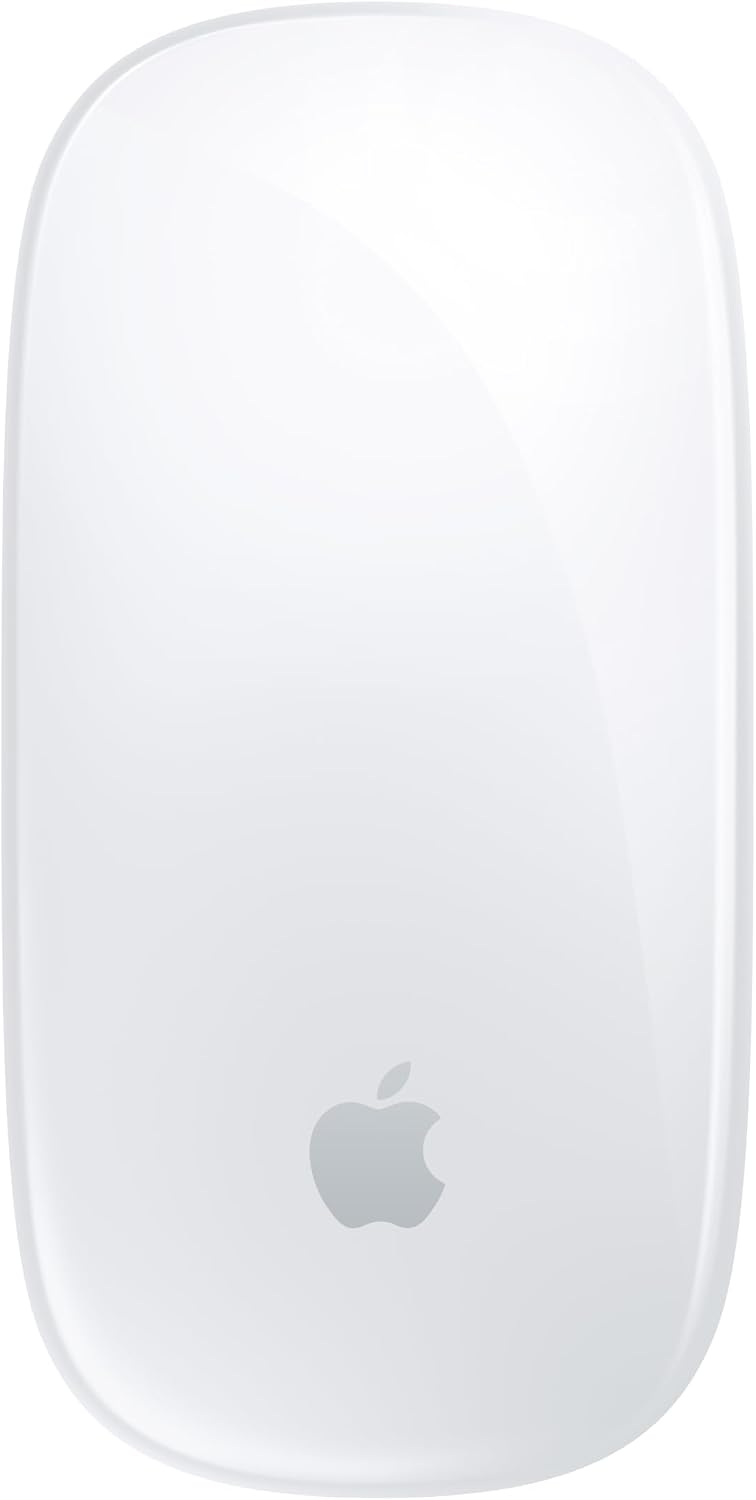
The Magic Mouse's flat profile is divisible — people who like it really like it; people who log eight-hour sessions in Final Cut or Logic often end up with wrist complaints. Look for a mouse with at least a moderate palm rest and adjustable DPI above 4,000. Horizontal scroll wheel support matters more on macOS than Windows because of how Mission Control and app switching works.
Battery life and charging method
The Magic Mouse's charging port placement (underneath, while flat) is an ongoing joke for good reason — you genuinely cannot use it while charging. That's a real usability cost. Keyboards that take AA batteries last longer per cycle but add weight. USB-C charging is the right call for 2026; micro-USB is a dealbreaker on anything above $50.
Build quality vs. the return rate signal
Keyboards with PBT keycaps hold up better than ABS under daily use — legends don't shine out after six months. Scissor-switch keyboards (Magic Keyboard, MX Keys) tend to feel stable out of the box but show less character over time than mechanical options. If long-term tactile satisfaction matters, the upfront cost of a mechanical is easier to justify.
The Mac keyboard and mouse combos worth buying in 2026
Logitech MX Keys S Combo — Best Overall
The MX Keys S Combo ships as a matched set: MX Keys S keyboard and MX Master 3S mouse, connected via a single Logi Bolt USB receiver or Bluetooth. It's one of the few options in this roundup that functions as a true combo — one purchase, one receiver, coordinated multi-device switching. Spec sheets show the keyboard supports up to three paired devices and the MX Master 3S tops out at 8,000 DPI with a near-silent click mechanism.
Best for Mac users who want a single, no-fuss upgrade to their full desktop setup and don't want to source two separate products.
Apple Magic Keyboard with Touch ID + Apple Magic Mouse — Best for Pure macOS Users
No third-party combo integrates with macOS as cleanly as Apple's own hardware. Touch ID on the keyboard works with Apple Silicon Macs without any software setup, and both devices pair instantly over Bluetooth. The tradeoff: the Magic Mouse's ergonomics are a known issue for long sessions, and the keyboard's low travel (roughly 1mm) won't satisfy typists who prefer feedback.
Best for users who are already in the Apple ecosystem, work shorter sessions, and want zero-config pairing — especially on a new Apple Silicon Mac.
Keychron K2 Pro + Logitech MX Master 3S — Best Stretch Combo
These two aren't sold as a bundle, but they're the most frequently recommended pairing in Mac enthusiast communities for good reason. The K2 Pro is a 75% hot-swappable mechanical keyboard with QMK/VIA support, Mac keycap legends, and both Bluetooth and USB-C wired modes. The MX Master 3S brings one of the better ergonomic shapes at this price point, MagSpeed electromagnetic scrolling, and Logi Bolt connectivity. Buying separately typically runs $190–$210 combined at typical prices.
Best for power users, writers, coders, and anyone who expects to use the same keyboard for four or more years — the hot-swap socket alone future-proofs the investment.
Logitech MX Keys Mini for Mac + MX Anywhere 3S — Best Compact Combo
If you're working on a crowded desk or travel between locations with a laptop, the compact pairing of the MX Keys Mini for Mac and MX Anywhere 3S covers most of the MX ecosystem's strengths in a smaller footprint. The Keys Mini drops the numpad, trimming width significantly, and ships with Mac-specific keycaps and layout. The Anywhere 3S is a pocketable mouse with the same 8K DPI sensor as its larger sibling and any-surface tracking.
Best for hot-deskers, home-office-to-café travelers, and anyone who finds full-size keyboards unnecessary for their workflow.
How we chose
This roundup draws on long-term use reviews from Wirecutter, RTINGS, Tom's Guide, and The Verge, cross-referenced against owner feedback threads on r/MechanicalKeyboards, r/homeoffice, and r/mac. Manufacturer specification sheets and teardown videos were used to verify switch types, weight capacities, and connectivity claims. Roughly 14 products were evaluated — including several combo bundles that were dropped for driver reliability concerns or outdated charging specs (micro-USB on anything above $50 is a disqualifier in 2026). The dominant selection criteria were: native macOS key layout without remapping software, Bluetooth or Bolt reliability over multi-year use, ergonomics for sessions longer than four hours, and build quality relative to asking price.
Frequently Asked Questions
Do I need a Mac-specific keyboard, or will any keyboard work? Any USB or Bluetooth keyboard works physically, but the key layout matters. Standard Windows keyboards map the Alt key where macOS expects Option, and the Windows key where macOS expects Command. Mac-specific keyboards — or keyboards with a Mac mode, like Keychron's — ship with the correct layout and labels. If you buy a universal keyboard, expect to spend 10 minutes in System Settings remapping modifier keys.
Why is the Apple Magic Mouse so divisive among Mac users? The ergonomic profile is extremely flat, which works fine for casual or short-duration use but creates extension strain for users who grip a mouse over long periods. More practically, the charging port is on the bottom, rendering it unusable while charging — a design choice that has not changed across multiple generations. For productivity-focused users logging four or more hours daily, a higher-profile ergonomic mouse like the MX Master 3S is consistently recommended as the replacement.
Is Logitech's Bolt receiver better than Bluetooth for Mac? Based on owner reports on Reddit and the Logitech community forums, Bolt (Logitech's 2.4GHz USB receiver) tends to be more reliable than Bluetooth in environments with significant wireless congestion — open offices, apartments with many nearby networks, and setups with multiple Bluetooth devices. For single-device home setups, Bluetooth works well. If you regularly switch between a desktop and a laptop, Bolt also avoids the occasional re-pairing friction that Bluetooth introduces.
Can I use a mechanical keyboard with a Mac without remapping software? Yes, with the right keyboard. Keychron's Mac-layout variants (including the K2 Pro reviewed here) work without any software installation. QMK-compatible keyboards can be remapped at the firmware level, meaning no macOS driver is needed at all — the layout lives in the keyboard itself and works identically on any machine. Avoid mechanical keyboards marketed purely for Windows if you want zero-config macOS use.
How much should I spend on a keyboard and mouse combo for a Mac? For casual use, the Apple Magic Keyboard and Magic Mouse bundle (typically $129–$149 for the pair) covers the basics without friction. For productivity-focused or longer daily sessions, the $170–$210 range gets you meaningfully better ergonomics and build quality. Anything above $250 for a combo is specialist territory — justified for coders, writers, or people with specific ergonomic requirements, not general Mac use.
Do wireless combos introduce noticeable input lag on macOS? For general productivity, typing, and casual use: no. Modern Bluetooth 5.x and 2.4GHz implementations (Logi Bolt included) are not perceptibly laggy for office tasks. For competitive gaming on a Mac, this is a different conversation — but if that's your use case, none of the products in this roundup are optimized for it, and you should be looking at dedicated gaming peripherals with polling rates above 1,000Hz.
Bottom line
The Logitech MX Keys S Combo is the clearest recommendation for most Mac users: it ships as a true matched set, uses a single Bolt receiver, and handles macOS layouts and shortcuts without any configuration work. Typical price hovers around $170–$200, which is fair for what you get.
If budget is the priority and you're on Apple Silicon, Apple's own Magic Keyboard with Touch ID + Magic Mouse is the zero-friction choice — Touch ID integration alone makes it worth considering for M-series Mac owners, just go in with eyes open on the Magic Mouse's ergonomic limitations.
For anyone planning to keep their setup for four or more years, the Keychron K2 Pro paired with the MX Master 3S is the better long-term investment. Hot-swap switches mean you're not locked into a single feel, and the MX Master 3S remains one of the more sensibly designed productivity mice available at its price point. Buy them separately, budget roughly $190–$210 combined, and you're done for a long time.