

Best Standing Desks for Small Spaces 2026
This article contains affiliate links. If you purchase through these links, we may earn a small commission at no extra cost to you.
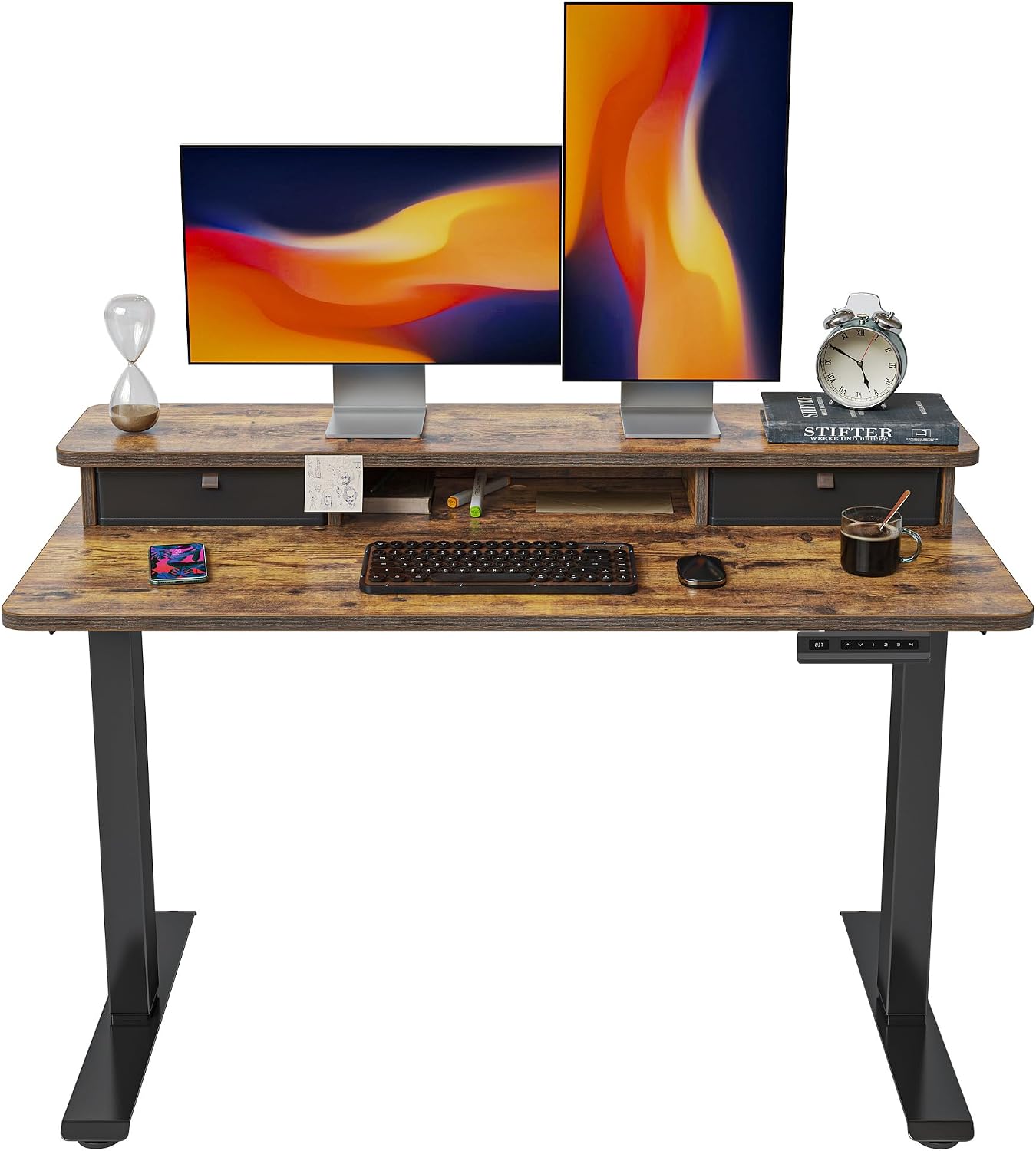
The best standing desk for most small home offices is the FlexiSpot E6 Bamboo — dual motors, a surface that won't off-gas formaldehyde on you, and an owner satisfaction record that holds up under a lot of scrutiny. If $330 is too steep, the Fezibo with Drawers covers the basics under $130 and adds storage most small spaces desperately need. This guide is for remote workers dealing with sub-10-foot walls, shared apartments, and "spare bedrooms" that are really closets with ambition.
What to look for in a small-space standing desk
1. Desktop width: 48–60 inches is the practical range
Anything under 48 inches starts to feel cramped the moment you add a second monitor. Anything over 60 inches eats floor space you don't have. Most of the desks in this guide land in that window. The ApexDesk Elite Pro at 60 inches is right at the edge — workable in a dedicated office, a tight squeeze against a wall with a return.
Watch out for nominal widths that include the motor housing. Always check the usable surface depth as well; 24–30 inches of depth is the range that separates a real workspace from a shelf with legs.
2. Height adjustment range: match your body, not just the average
The standard ergonomic seated height is 28–30 inches; standing height for a 5'10" person is roughly 44–46 inches. A desk that tops out at 45 inches is marginal for anyone taller. Budget desks with a single motor often have a narrower adjustment range than their dual-motor counterparts — that's not just a performance gap, it's a fit gap.
The Uplift V2 Commercial and V3 frames both offer wider ranges (reaching lower for shorter users, higher for taller ones) than anything in the sub-$200 tier.
3. Motor count and stability at height
A single motor driving a wide frame is where wobble lives. Owner reports on Reddit's r/StandingDesk consistently flag single-motor budget desks for lateral sway when the desk is extended to standing height and loaded with dual monitors.
Dual-motor designs (FlexiSpot E6, ApexDesk Elite Pro, both Uplifts) distribute the load and meaningfully reduce wobble. If you're mounting a monitor arm rather than using a desktop stand, a wobble-prone frame will vibrate every time you type.
4. Weight capacity vs. what you're actually putting on it
A dual-monitor setup with an ultrawide, a laptop dock, speakers, and a lamp can easily hit 60–80 lbs. Most budget desks are rated 110–176 lbs — that sounds like plenty until you notice that the ratings often assume centered, static load. Real-world use involves asymmetric placement and cable tension.
The commercial-tier Uplift V2 frame's high rated capacity isn't just marketing — it's a signal of thicker steel and more robust motor gearing.
5. Warranty fine print
This is where budget desks get you. A one-year warranty on a motorized desk means you own the repair bill from year two onward. Motor controllers, the most failure-prone component per owner reports, are expensive to replace out of pocket. Uplift's 15-year warranty is the industry outlier. FlexiSpot's 5-year coverage is the realistic minimum worth accepting on a sub-$400 desk.
Comparison table
Weight capacities are approximate figures from published manufacturer spec sheets and may vary by configuration. "Capacity per $100" is derived from those figures and the typical prices listed; treat it as a relative signal, not a hard engineering number. Uplift V2 Commercial is a frame only — total cost is higher once you add a desktop.
| Desk | Typical Price | Motor Warranty | Approx. Weight Capacity | Capacity per $100 spent ↑ | Best For |
|---|---|---|---|---|---|
| Fezibo Electric w/ Drawers | ~$130 | 1–2 yr | ~176 lbs | 135 lbs | Budget buyers who need built-in storage |
| SHW 55-inch Electric | ~$190 | 1 yr | ~154 lbs | 81 lbs | Minimal-setup buyers on a tight budget |
| FlexiSpot E6 Bamboo | ~$330 | 5 yr | ~275 lbs | 83 lbs | Best all-around value with dual motors |
| ApexDesk Elite Pro 60" | ~$400 | 5 yr | ~225 lbs | 56 lbs | Buyers who need 60" surface width |
| Uplift V2 Commercial Frame | ~$608 | 15 yr | ~535 lbs | 88 lbs† | DIY desktop builders, heavy rig users |
| Uplift V3 Standing Desk | ~$718 | 15 yr | ~355 lbs | 49 lbs | Long-term buyers who want warranty certainty |
†Frame-only price; add desktop cost before comparing this figure to complete-desk options.
The desks
Fezibo Electric Standing Desk with Drawers — Best Budget
Under $130 with built-in drawers is a legitimately compelling offer for small spaces where every square foot of storage matters. Owner reports flag some controller variability and a narrower height range than mid-tier desks, but for single-monitor setups the trade-off is defensible.
Best for renters and first-time standing desk buyers who want the ergonomic benefit without committing real money before they know they'll use it.
SHW 55-inch Electric Height Adjustable Desk — Best No-Frills Runner-Up
Over 21,000 Amazon reviews at 4.5 stars is a legitimately large signal. The SHW 55-inch isn't exciting — single motor, basic controller, minimal warranty — but owner reports consistently describe it as functional and stable enough for a single-monitor setup.
Best for buyers who want a known commodity at the lowest price they can justify, and who won't be loading it with more than one monitor.
FlexiSpot E6 Bamboo Standing Desk — Best Overall
The E6 Bamboo hits the dual-motor tier at a price most mid-range desks can't match. The bamboo surface is a real differentiator: harder than most MDF laminate tops, naturally antimicrobial, and doesn't require the "is this off-gassing?" conversation. Five-year motor warranty is the credible minimum for a desk you'll use daily.
Best for home office workers who want a dual-motor frame with a surface they're not embarrassed to show on a video call, without spending Uplift money.
ApexDesk Elite Pro Series 60 inch Standing Desk — Best for Wider Setups
If you need 60 inches of surface — triple monitors, a large drawing tablet, a sprawling cable mess — the ApexDesk Elite Pro delivers it at under $400 with a strong review record (4.7 stars across 2,213 ratings). The caveat for small spaces: 60 inches is a real footprint, and the depth matters too.
Best for buyers who've measured their wall and confirmed they have the room — this isn't a desk to improvise a small-space purchase around.
Uplift V2 Commercial Standing Desk Frame — Best Frame for Custom Builds
This is not a complete desk. It's a frame you pair with your own desktop — which means you control the exact width, depth, and material. The V2 Commercial's ~535 lb weight capacity and 15-year warranty put it in a different structural category than anything else in this guide. The low Amazon review count (36) is expected for a product that appeals to a specific, deliberate buyer.
Best for buyers who already have (or want to source) a specific desktop — a solid-wood slab, a custom cut, a reclaimed material — and want a commercial-grade frame underneath it.
Uplift V3 Standing Desk — Best Long-Term Investment
The V3 is Uplift's current-generation complete desk. It adds stability improvements over the V2 at height and brings the 15-year warranty on a full package rather than a frame. At roughly $718 typical, it asks you to make a decision: is this a tool you'll own for ten years, or furniture you'll replace when you move? If the former, the math on a 15-year warranty versus a 1-year warranty plus two motor replacements starts to look different.
Best for buyers committed to a home office long-term who want to stop thinking about their desk after purchase day.
Small-space gotchas nobody puts in the listing
Cable management is a bigger problem than you expect. A standing desk that moves up and down pulls cables with it. In a small space you often can't run cables along the wall — they loop under the desk or through a grommet. Buy a cable management tray before the desk arrives. Don't improvise this afterward.
Measure your floor, not just your wall. Standing desks need clearance at the back for the frame crossbar and at the sides for the motor housings. The listed desktop width is not the total footprint. Add 2–4 inches to each side for the frame overhang before you conclude it fits.
The "bamboo is premium" claim. Bamboo is genuinely durable and low-emission relative to laminate MDF — but some "bamboo" tops are strand-woven composites with binders that partly defeat the point. The FlexiSpot E6 Bamboo uses solid-strand bamboo that reviews and teardown reports consistently call out as the real thing. Don't assume every bamboo-branded surface is equivalent.
Decision framework
Pick the FlexiSpot E6 Bamboo if you want dual motors, a clean surface material, and 5-year warranty coverage without crossing the $400 mark.
Pick the Fezibo with Drawers if you're under $150, have a single monitor, and genuinely need the storage the drawers provide.
Pick the Uplift V3 if you're furnishing a permanent home office and want the peace of mind of a 15-year warranty more than you want the upfront savings.
Pick the ApexDesk Elite Pro if you've measured your wall and specifically need 60 inches of surface — and can't justify Uplift pricing.
Pick the Uplift V2 Commercial Frame if you have a specific desktop in mind (custom wood, reclaimed material) and want a commercial-grade frame to put under it.
Skip motorized standing desks entirely if your usable wall space is under 48 inches — you'll be better served by a well-configured fixed desk with a monitor arm and an ergonomic chair. See our guide on ergonomic workstation setup for small rooms.
How we chose
Eleven standing desks were evaluated before narrowing to this six. Primary sources: manufacturer spec sheets cross-referenced against owner feedback on Amazon (with emphasis on 1- and 3-star reviews for wobble, motor drift, and controller failures), Reddit threads on r/StandingDesk and r/homeoffice, and published expert roundups from ergonomics and home office–focused outlets. Warranty fine print was reviewed directly on manufacturer sites.
Dominant criteria for this specific guide: desktop footprint appropriate to small spaces (48–60 inches), height adjustment range adequate for seated and standing use by a typical adult, motor stability signals from real-world owner reports rather than marketing claims, and warranty depth as a proxy for long-term reliability. Products that appeared frequently in negative owner reports for structural wobble, drift under load, or motor failures within the first year were excluded from the shortlist regardless of price tier.
Frequently Asked Questions
What's the minimum desk width for a small home office?
48 inches is the practical floor. Below that, you're giving up either monitor placement flexibility or workspace depth, and the ergonomic benefit of standing gets undermined by a cramped setup. If your wall genuinely can't fit 48 inches, a fixed desk with a monitor arm will serve you better than a cramped motorized one.
Do I need a dual-motor standing desk?
If your setup includes dual monitors, a monitor arm, a laptop, and peripheral gear, yes — a single motor driving a wide frame under load is where wobble complaints originate in owner reports. Dual motors distribute the load across both legs. For a single-monitor, lighter setup, a single motor can be adequate if the frame design is solid.
How much weight can a typical budget standing desk hold?
Budget desks in the $130–$190 range are typically rated in the 110–176 lb range. That sounds like plenty for a casual setup, but ratings assume centered static loads. A dual-monitor arm mounted off-center, combined with a heavy laptop dock and speakers, can push against that ceiling faster than most buyers anticipate. Check your gear weight before assuming the cheapest desk is adequate.
Is a 15-year standing desk warranty actually meaningful?
Yes, with a caveat: it only matters if the company is still around to honor it. Uplift has been in business long enough to have a track record on warranty claims, and published owner reports on Reddit suggest they do honor them. For a $50 desk, a 15-year warranty would be marketing noise. For a $700+ desk you intend to own for a decade, it's a material factor in the total cost of ownership.
Can I use a standing desk frame with my own desktop?
The Uplift V2 Commercial in this guide is specifically designed for that use case. Most frames accept a range of desktop widths and depths. If you're going the custom route, confirm the frame's recommended desktop dimensions before buying — some frames require specific thickness or depth ranges to mount properly, and undersized or oversized tops can create stability issues.
How long does assembly typically take?
Based on owner reports across these six models, expect 45–90 minutes for a typical single-person assembly. Budget desks with simpler frames tend toward the lower end; the Uplift V2 Commercial frame with a custom desktop runs longer. Most owners flag that the instruction manual quality varies significantly — ApexDesk and Uplift tend to get better marks here than the budget tier. Have an adjustable wrench, a rubber mallet, and a second person handy.
Bottom line
For most small home offices, the FlexiSpot E6 Bamboo (typically ~$330) is the clear answer: dual-motor stability, a surface material that holds up to daily use without the laminate-MDF caveats, and a 5-year warranty that isn't embarrassing. It handles dual-monitor setups without the wobble complaints that follow budget single-motor frames.
If $130 is your ceiling, the Fezibo Electric with Drawers is a legitimate choice — not a compromise you'll love forever, but functional for a single-monitor setup, and the built-in storage genuinely earns its keep in a small room.
If you're furnishing a permanent office and intend to keep the desk for 10+ years, the Uplift V3 (~$718) reframes the math. A 15-year warranty and best-in-class stability at standing height are worth real money when you amortize them across a decade of daily use.
The SHW 55-inch and ApexDesk Elite Pro are solid runners-up for specific situations — the SHW if you're price-anchored above Fezibo, the ApexDesk if you need 60 inches of surface. The Uplift V2 Commercial Frame is a specialist buy for people who want to source their own desktop and don't want to compromise on the frame underneath it.