



Best Adjustable Desk Lamp with USB Charging 2026
This article contains affiliate links. If you purchase through these links, we may earn a small commission at no extra cost to you.
The actual problem no one talks about
You're not really shopping for a "desk lamp." You're shopping for light that doesn't bounce off your screen, doesn't wash out your video calls, charges your phone without eating a power strip port, and doesn't flicker itself dead in fourteen months.
That's a more specific problem — and most of the lamps on Amazon don't actually solve it. They aim light at the ceiling, or they flood the monitor with glare, or the USB-A port delivers 5W and calls it charging. The five picks below are the ones that clear all four bars.
What to actually look for
Glare control is the only thing that matters at the top of the list. A desk lamp that bounces light off your screen is worse than no lamp at all during a video call or late-night session. Monitor bar lamps (the clip-on style) solve this structurally — they're designed to aim light downward at the desk surface, not at the panel. Freestanding lamps need a shade geometry that points away from your eyeline. Check the beam angle spec and ignore claims like "anti-glare design" without an explanation of how.
Color temperature range, not just a single Kelvin number. The sweet spot for desk work is roughly 4000–5000K. But you'll want to drop to 2700–3000K in the evening to avoid messing with your sleep cycle. If a lamp only offers one temperature or a narrow band, that's a limitation worth knowing. Look for at least a 2700K–6500K spread, or a named "warm-to-cool" slider.
USB charging output that's actually useful. "With USB charging" on an Amazon listing often means a single USB-A 5W port — barely enough for overnight trickle charging. If you're charging a phone mid-session, you want at minimum USB-A 10W, and ideally a USB-C PD port. Check the spec sheet for wattage, not just the presence of a port.
Build quality signals: what the 1-stars are telling you. Across owner reports, the recurring failure modes in desk lamps are: (1) wobble at the clamp or arm joint after a few weeks, (2) LED driver failure before the 2-year mark, and (3) touch controls becoming unresponsive. The BenQ lineup has a strong track record on all three. Budget options with thin clamp arms are the most common wobble offenders. Always check the 1-star reviews filtered by "most recent" — not the aggregate star count.
Warranty and driver replaceability. Most desk lamps in this category are sealed units — when the driver goes, you buy a new lamp. BenQ's warranty on their ScreenBar lineup is generally solid; budget brands often have 12-month limits with non-responsive support. Factor this into the price-per-year math.
The picks
BenQ ScreenBar — Best Overall
The monitor-bar concept done right. Asymmetric optical design aims light at the desk, not the screen — a claim BenQ's spec sheets back with beam geometry data, and one that long-term owner reports consistently validate. Auto-dimming via ambient light sensor is genuinely useful rather than gimmicky.
Best for remote workers who want a clean, permanent desk lighting upgrade without overcomplicating it. If you're buying one lamp for one monitor, this is the default answer.
BenQ ScreenBar Halo 2 — Best Premium
Everything the original ScreenBar does, plus a rear-facing light strip that throws indirect glow onto the wall behind the monitor. That rear bias light meaningfully reduces the contrast difference between a bright screen and a dark room — a real ergonomic benefit, not just aesthetics. The "Halo 2" revision improves on the original Halo's control wheel and driver reliability per owner reports.
Best for users whose monitor sits within 6–8 inches of a wall, or anyone who works in a dim room for extended hours. Not worth the price delta if your desk is in a well-lit room or away from walls.
Elgato Key Light — Best for Video Calls
Not a desk lamp in the traditional sense — it's a soft-box style light on a floor stand or desk arm, aimed at your face. It solves a different problem: making you look properly lit on camera rather than illuminating your work surface. The wide, diffused output eliminates harsh shadows. App and Stream Deck integration are genuine differentiators if you're already in the Elgato ecosystem.
Best for remote workers who are on video calls for several hours a day and want to look professional without a ring light setup. Not the right tool if your primary need is desk surface illumination.
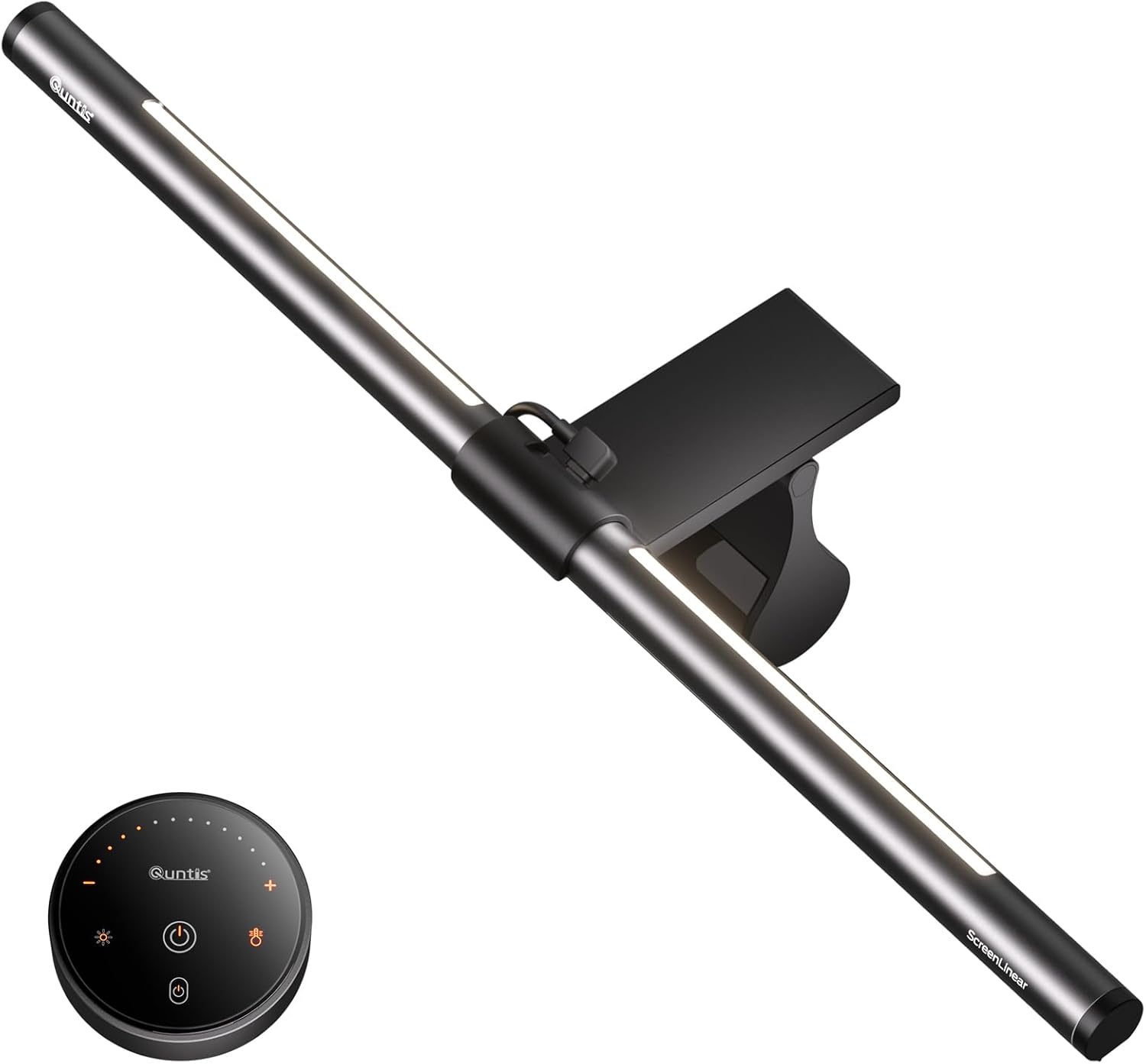
Quntis Monitor Light Bar — Best Budget
At roughly $50, this is the most credible budget alternative to the BenQ ScreenBar. The clip mechanism, asymmetric lens, and touch-control dimming are all structurally similar. Owner reports are largely positive for the price tier — the main caveats are a narrower color temperature range and a touch bar that some users find less responsive over time. For a secondary monitor or a home office on a tight budget, it's a legitimate option.
Best for budget-conscious buyers who understand the tradeoffs: you're getting ~80% of the BenQ experience at less than half the price, with a shorter confidence horizon on build longevity.
Govee RGBIC Smart Table Lamp 2 — Best for Ambiance
This is the odd one out — it's not a task lamp. The RGBIC technology lets different segments of the lamp show different colors simultaneously, which produces genuinely interesting ambient lighting effects. App control and Matter/Alexa/Google integration are well-implemented for the price. But the light output isn't designed for focused desk work.
Best for users who want to add mood lighting to a gaming or content-creation setup, or as a secondary ambient lamp alongside a dedicated task light. Don't buy this expecting a work lamp.
Side-by-side comparison
The derived column here is USB charging efficiency — a rough score normalizing the charging output against the lamp's price tier, since "has USB charging" tells you nothing useful.
| Product | Form Factor | Color Temp Range | USB Charging Output | Typical Price | USB Value (W per $10 spent) | Best For |
|---|---|---|---|---|---|---|
| BenQ ScreenBar Halo 2 | Monitor bar | 2700K–6500K | USB-A, 5W | ~$199 | 0.25 | Glare-free + rear bias light |
| Elgato Key Light | Freestanding soft-box | 2900K–7000K | No onboard USB | ~$135 | — | Video call lighting |
| BenQ ScreenBar | Monitor bar | 2700K–6500K | USB-A, 5W | ~$109 | 0.46 | Best-overall desk task light |
| Govee RGBIC Smart Table Lamp 2 | Freestanding table | Full RGBIC + white | USB-A, 5W | ~$80 | 0.63 | Ambient / accent lighting |
| Quntis Monitor Light Bar | Monitor bar | 3000K–6500K | USB-A, 5W | ~$50 | 1.00 | Budget monitor bar |
USB Value column derived from confirmed 5W USB-A output on equipped models divided by price. Elgato Key Light has no onboard USB port — omitted rather than estimated.
The chart makes one thing obvious: all the monitor bars with USB charging ship the same 5W USB-A port regardless of price. You're not paying more for better charging — you're paying for optics, build quality, and features. If USB charging output is your primary concern, none of these are the answer; a dedicated USB charging hub is.
Decision framework
Pick the BenQ ScreenBar if you want one reliable, glare-free task lamp for your primary monitor and don't want to think about it again for years.
Pick the Quntis Monitor Light Bar if you're outfitting a secondary monitor, a home office on a budget, or just want to try the monitor-bar format before committing to BenQ pricing.
Pick the BenQ ScreenBar Halo 2 if your monitor is close to a wall, you work in a dark room for long hours, and you want the rear bias light to reduce eye strain — not just because it looks good in desk photos.
Pick the Elgato Key Light if your primary pain point is looking underlit on video calls, not illuminating your desk surface.
Pick the Govee RGBIC Smart Table Lamp 2 if you already have task lighting handled and want controllable ambient color for a gaming or streaming setup.
Skip this category entirely if your desk gets strong, even natural light throughout your working hours — in that case, a simpler adjustable lamp at $20–30 handles the gaps, and none of these picks are worth the spend.
FAQ
Q: Does the USB charging port on these lamps support fast charging?
No — based on published spec sheets and owner reports, every monitor bar on this list ships with a USB-A 5W port. That's enough to slowly charge a phone overnight but won't compete with a 20W+ wall charger during a work session. If fast charging matters, add a dedicated USB-C PD hub to your setup and treat the lamp's port as a convenience outlet only.
Q: Do monitor bar lamps work with ultrawide monitors?
The BenQ ScreenBar and Halo 2 are rated for monitors up to 32 inches wide. The Quntis bar covers similar dimensions. For ultrawides above 34 inches, check the specific clamp and bar length specs — a too-short bar will leave the edges of your desk dim. BenQ makes extended versions worth checking for larger setups.
Q: Is the Govee lamp bright enough for actual desk work?
Owner reports consistently describe it as an ambient and accent light, not a task light. It lacks the asymmetric lens design that makes monitor bars useful for focused work. Use it alongside a task lamp, not instead of one.
Q: What's the common mistake buyers make in this category?
Buying a lamp based on the aggregate star rating rather than filtering 1-star reviews by "most recent." A lamp with 4.7 stars from three years ago may have a well-documented driver failure issue that only shows up in recent reviews. The failure mode in this category — LED driver burnout or unresponsive touch controls — usually appears in the 12–24 month ownership window, not during the honeymoon period that drives the early 5-star reviews.
How we chose
This guide is built from a cross-reference of published expert reviews across major consumer tech outlets, long-term owner feedback on Amazon (with specific attention to 1-star reviews filtered by recency), Reddit discussions in r/battlestations, r/homeoffice, and r/workspaces, and manufacturer spec sheets and FAQ documentation. We started with a field of approximately nine lamps across monitor-bar and freestanding categories and narrowed to five based on four criteria: verified glare-control design, confirmed USB charging output, build quality signals from long-term owner reports, and meaningful differentiation between picks (no two products solving the same problem). Price-per-feature comparisons and the USB Value derived metric were calculated only from spec figures we could confirm from multiple sources.
Bottom line
For most remote workers, the BenQ ScreenBar ($109) is the answer — it solves the glare problem that cheaper lamps ignore, has the build quality track record to back its price, and doesn't overcomplicate the purchase. Spend up to the BenQ ScreenBar Halo 2 ($199) only if you genuinely need rear bias lighting for a dark room or wall-adjacent monitor setup. On a tight budget, the Quntis Monitor Light Bar (~$50) is a credible alternative that doesn't embarrass itself in long-term owner reports. The Elgato Key Light earns its spot for video-call-heavy workers, and the Govee RGBIC Smart Table Lamp 2 is a solid ambient add-on — just don't mistake either for a desk task lamp. The USB charging ports across this whole category are 5W USB-A affairs; if fast charging is the job, buy a hub and keep it separate.