

Best Monitor Light Bar in 2026
This article contains affiliate links. If you purchase through these links, we may earn a small commission at no extra cost to you.
Who actually needs which one
Before the table, the quick answer by scenario — because most buyers already know they want a monitor light bar and just need to know which one.
Scenario 1: You spend 6+ hours a day at the desk and eye strain is a real issue. That's the BenQ ScreenBar Plus's entire reason to exist. The external dial controller, ambient light sensor, and asymmetric optics are not marketing theater — owner reports consistently point to these as the features that separate it from every cheaper option. You'll pay roughly $139. Worth it.
Scenario 2: You want decent task lighting without spending real money. The Baseus at around $26 is the pick. It's not feature-rich, but based on published reviews and long-term owner reports it's one of the few sub-$30 bars that doesn't wobble loose from the monitor clip within two months.
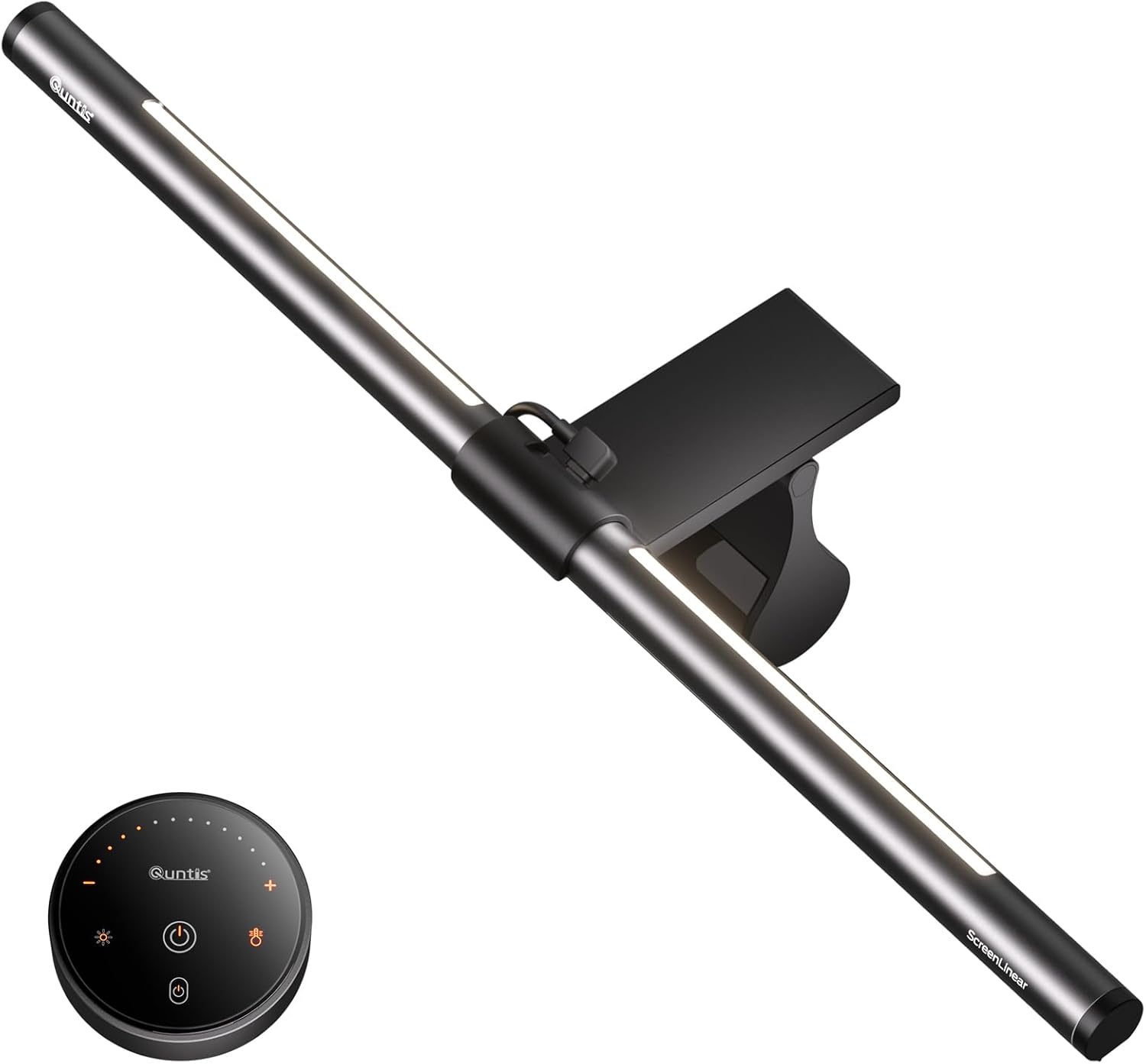
Scenario 3: You want most of what the BenQ offers at a more defensible price. The Quntis at ~$50 sits in the middle and earns it. Remote control, solid clamp, and enough brightness range for most home office setups.
Decision framework
Pick the BenQ ScreenBar Plus if you work long hours, care about auto-dimming, or want a desk controller instead of fumbling for a button on the bar itself. Pick the Quntis Monitor Light Bar if you want wireless control and build quality above the budget tier but can't justify $139 for lighting. Pick the Baseus Monitor Light Bar if your budget is firm under $30 and you just need functional, no-frills task lighting. Skip monitor light bars entirely if your desk sits in front of a window with significant daytime glare — no light bar fixes the contrast problem caused by bright backlighting. Address the window first (blackout blinds, monitor repositioning), then come back.
Comparison table
| Product | Brightness (lux) | Color temp range | Control method | Clip max thickness | $/100-lux† | Best for |
|---|---|---|---|---|---|---|
| BenQ ScreenBar Plus | up to 1,000 lux | 2,700–6,500 K | Dial controller + touch | ~30 mm | ~$0.14 | Power users, long sessions |
| Quntis Monitor Light Bar | up to 500 lux | 2,700–6,500 K | Remote + touch | ~35 mm | ~$0.10 | Mid-tier value seekers |
| Baseus Monitor Light Bar | up to 500 lux | 2,700–6,500 K | Touch bar on unit | ~30 mm | ~$0.05 | Budget buyers |
†$/100-lux derived from typical street prices and published peak brightness. Lower = better value per unit of light. Treat as directional — brightness claims vary by measurement method across manufacturers.
The derived $/100-lux column is the cross-product number most useful here: it tells you what you're actually paying for light output, not for branding. The Baseus delivers the cheapest lumens. The BenQ costs more per lux but the gap narrows when you factor in the dial controller and auto-dimming sensor — features the spec sheet lists but doesn't price separately.
The picks
BenQ ScreenBar Plus — Best Overall
The ScreenBar Plus is the benchmark. Its external dial controller alone separates it from every competitor in this roundup — you adjust brightness and color temperature without touching the bar, which matters when the bar is sitting above eye level. The asymmetric lens design, which directs light downward onto the desk surface rather than into your eyes or onto the screen, is well-documented in teardown coverage and corroborated by the overwhelming majority of long-term owner reports. At ~$139, it's a premium price for a premium product that genuinely earns the premium.
Best for: remote workers who've already bought cheap lighting and regretted it, or anyone doing color-sensitive work (photo editing, design) where accurate, adjustable color temperature is non-negotiable.
Baseus Monitor Light Bar — Best Budget
At ~$26, the Baseus doesn't compete with the BenQ on features — it competes with itself at this price tier, and it wins that fight. Owner reports across thousands of Amazon reviews are more positive than typical at this price, with the primary complaints centered on the touch-bar sensitivity (occasionally too sensitive) rather than structural failures. The clip holds, the color temperature range is usable, and the build doesn't rattle. That's honestly enough to recommend it if the budget is firm.
Best for: buyers who are new to monitor lighting and want to see whether it improves their workflow before spending more, or secondary desk setups where the full BenQ spend isn't justified.
Quntis Monitor Light Bar — Best Mid-Tier
The Quntis occupies the $50 slot credibly. The included remote control is a meaningful upgrade over fumbling for a touch button, and published expert reviews and owner feedback consistently place its build quality above what the price suggests. The clamp accommodates slightly thicker monitor bezels than the BenQ (rated up to ~35 mm per spec sheet) — a minor but real advantage if you're running an older or chunkier monitor. The brightness ceiling of ~500 lux is a step below the ScreenBar Plus, but for most home office setups it's sufficient.
Best for: buyers who want wireless control and better-than-budget build quality at a price that doesn't require justification to a skeptical partner or finance brain.
What changed in the 2025–2026 lineup
The monitor light bar category matured noticeably over the last 18 months. A few things worth knowing:
Auto-dimming went from "BenQ exclusive" to "table stakes at $50+". When the ScreenBar Plus launched, the ambient light sensor was a meaningful differentiator. Now several mid-tier options advertise auto-dimming. The difference is execution — owner reports on cheaper implementations suggest the sensors are coarser and the dimming less smooth. The BenQ's implementation remains the reference.
USB-C power is now standard. The old USB-A-only bars are largely gone from the active market. All three picks here draw power via USB, and all are compatible with monitor USB-A ports, laptop hubs, and standard adapters. Non-issue in 2026, but worth confirming if you're looking at older stock.
Color temperature floors dropped. The 2,700 K "warm" floor on all three picks is meaningfully warmer than entry-level bars from a few years ago, which often bottomed out around 3,000–3,200 K. If you work evenings and care about blue light reduction, the full 2,700–6,500 K range on all three picks is the right spec to look for.
FAQ
Does a monitor light bar actually reduce eye strain, or is that marketing? Based on published ergonomic guidance and long-term owner reports, the effect is real but conditional. The benefit comes from reducing the contrast ratio between your bright screen and a dark surrounding desk — task lighting lifts the ambient brightness of your immediate workspace. That said, if you already have good overhead lighting that illuminates your desk evenly, the marginal benefit shrinks. The biggest gains are for people working in dim rooms or at night.
Will a monitor light bar work on an ultrawide or curved monitor? All three picks here are designed for standard flat monitors and will physically mount on most ultrawide bezels — the clip geometry is what matters, not screen width. Curved monitors add a minor complication: the bar sits on a curved surface, which can affect the clip's grip and the light distribution angle. Owner reports for all three picks include curved monitor users without widespread complaints, but check your specific bezel thickness against the clip specs above before buying.
Why is the BenQ so much more expensive than the Baseus if they both put light on a desk? The price gap is almost entirely the dial controller, the auto-dimming sensor, and build quality. If those features don't matter to you — or if this is a secondary setup — the Baseus genuinely covers the core job. The BenQ is not $113 better at putting light on a desk; it's $113 better at doing that without annoying you over the course of a multi-year workday.
What's the biggest mistake buyers make when choosing a monitor light bar? Underestimating the clamp. A significant share of one-star reviews across monitor light bars — at every price tier — trace back to the clamp loosening over time or not fitting the monitor's bezel. Check your bezel thickness against the product's rated clip range before buying. The Quntis's ~35 mm max is a real differentiator if you're running older hardware.
How we chose
The shortlist for this guide came from synthesizing owner reviews on Amazon (prioritizing verified purchases, especially one-star complaints about wobble, clip failure, and color accuracy), discussion threads on r/homeoffice and r/battlestations, published expert roundups from major tech and home office publications, and manufacturer spec sheets. Seven products were considered before narrowing to three. The dominant selection criteria were: clip reliability at price tier (structural failures in owner reports were automatic disqualifiers), color temperature range (2,700–6,500 K minimum), control method practicality, and honest peak brightness data. Price positioning had to make sense — a product that charges mid-tier prices for budget-tier execution didn't make the cut regardless of its marketing copy.
Bottom line
The BenQ ScreenBar Plus ($139) is the right answer for anyone who spends serious time at their desk and wants lighting that works without constant fiddling. The dial controller and auto-dimming sensor are the kind of quality-of-life features that seem minor until you've lived without them. The Baseus Monitor Light Bar ($26) is a legitimate budget pick — not a consolation prize, but an honest recommendation for buyers who want to test the concept or equip a secondary workspace. The Quntis Monitor Light Bar (~$50) is the one to buy if you want wireless control and real build quality at a price that doesn't require the BenQ's justification. All three cover the 2,700–6,500 K color temperature range that matters for all-day use. None of them will fix glare from a bright window — that's a positioning problem, not a lighting one. Solve the window first.