


Best Under Desk Drawer in 2026
This article contains affiliate links. If you purchase through these links, we may earn a small commission at no extra cost to you.
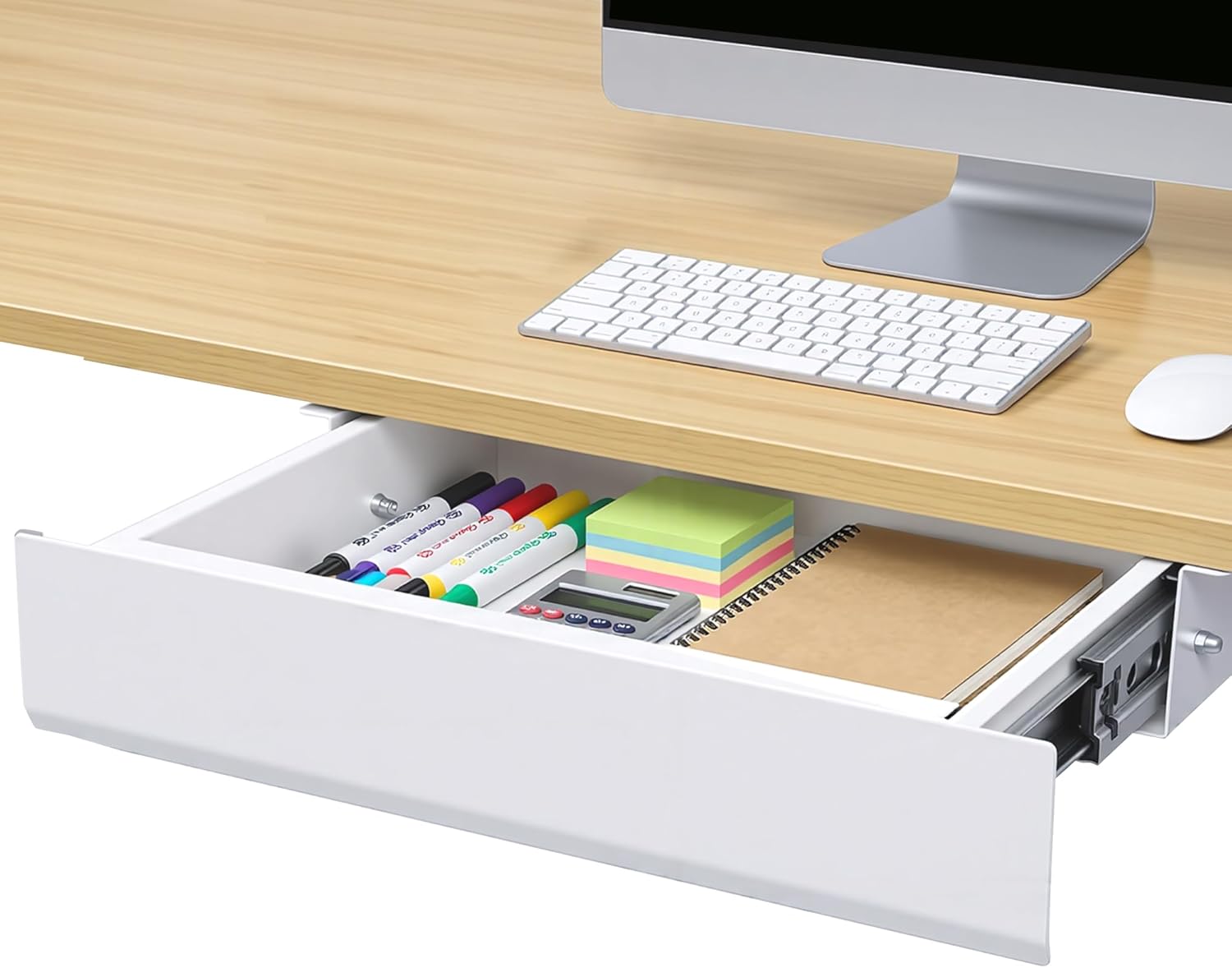
The Autonomous Carbon Steel Under Desk Drawer (~$39.99) is the pick for most people — 335 owner reviews at 4.6 stars is more real-world evidence than anything else in this price band can offer. This guide is for remote workers who want hidden, clutter-free desk storage without committing a full afternoon to assembly or $150+ to a drawer that still wobbles.
What to look for in an under-desk drawer
Mounting method — and what's under your desktop
Most drawers attach via screws into the underside of the desktop. That works perfectly on solid wood or thick MDF. It fails on hollow-core desktops, glass tops, and some sit-stand frames with integrated cable channels. Check your desktop thickness against the screw length in the box before ordering — owner complaints about mounting failure are almost always a thickness mismatch, not a product defect.
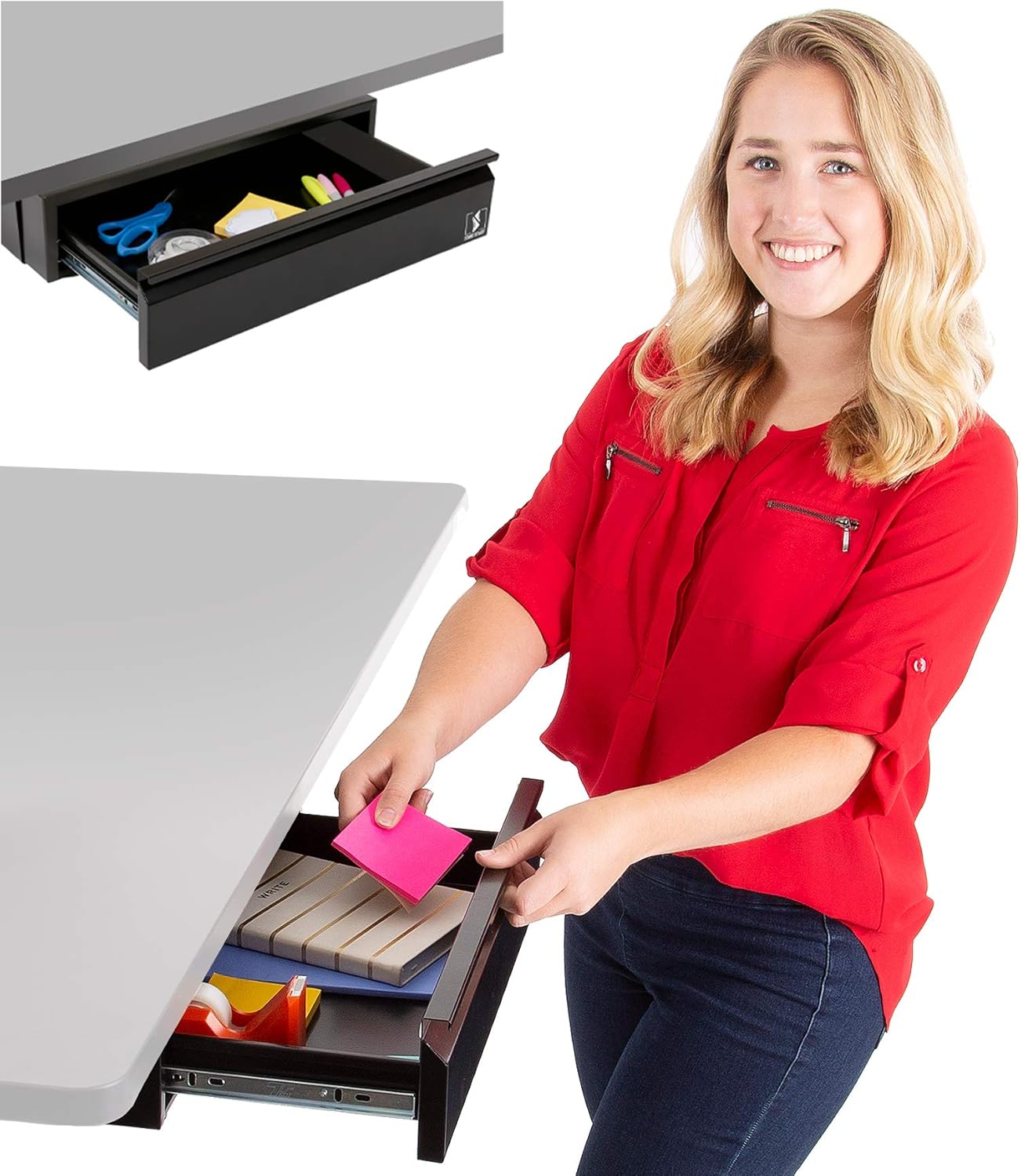
Clamp-on designs (like the Stand Steady) sidestep the drilling issue entirely but trade stability for convenience. Expect some lateral flex under heavy use.
Clearance height — the spec most people skip
The drawer needs room to open fully without hitting your thighs or a monitor arm clamp. Published clearance specs are measured from the underside of the desktop to the top of the drawer body, not to the open drawer position. A drawer listed as 3 inches tall may need 5–6 inches of total clearance when the slide is extended. Measure twice.
Drawer slide quality
This is where cheap drawers fail silently. Ball-bearing slides (found on the Autonomous and Mount-It units) roll smoothly and hold up over years of daily use. Plastic friction slides feel fine on day one and develop wobble within months. Owner reviews are unusually reliable here — people notice and report bad slides.
Weight capacity
Under-desk drawers are for office supplies, not tools. Typical capacities run 10–22 lbs. Overloading a lightweight drawer strains the mounting hardware, not the drawer itself — which means eventual screw-pull from the desktop. Relevant if you're storing a laptop.
Width vs. desk span
A 17-inch drawer centered on a 60-inch desk leaves a lot of dead underspace. If your goal is maximizing hidden storage, size up — the VIVO's 33-inch span covers meaningful desk real estate for the same price as smaller competitors.
Comparison table
Rating/dollar index = (star rating ÷ typical price) × 100. Higher means more quality per dollar spent. Formula uses published ratings and listed typical prices — note that low review counts (Uplift: 9 reviews) make that row's rating less statistically stable than the others.
| Product | Typical Price | Rating | Reviews | Material | Best For | Rating/Dollar Index ↑ |
|---|---|---|---|---|---|---|
| Autonomous Carbon Steel Under Desk Drawer | ~$39.99 | 4.6★ | 335 | Carbon steel | Best overall value | 11.5 |
| Stand Steady Attachable Under Desk Drawer | ~$24.99 | 4.6★ | 73 | Plastic/composite | No-drill installs | 18.4 |
| FlexiSpot Under Desk Drawer | ~$62.99 | 4.4★ | 104 | Steel | Mid-range stability | 7.0 |
| Mount-It Under Desk Drawer | ~$79.99 | 4.7★ | 112 | Steel | Highest-rated build | 5.9 |
| VIVO Large 33 Inch Under Desk Drawer | ~$79.99 | 4.3★ | 137 | Steel | Wide desks (33 in span) | 5.4 |
| Uplift Desk Slim Under Desk Storage Drawer | ~$159.00 | 4.0★ | 9 | Steel | Standing desk integration | 2.5 |
The Stand Steady's index looks highest on paper because it's the cheapest; that metric doesn't capture the stability gap versus steel-slide competitors. Use the index as a starting filter, not the final word.
The picks
Autonomous Carbon Steel Under Desk Drawer — Best Overall
335 reviews and a 4.6-star average is real evidence. Owner reports on Reddit and product forums consistently highlight the slide quality and mounting hardware as genuinely solid for the price — not just "fine for the cost." Carbon steel construction keeps flex minimal.
Best for remote workers who want a durable, no-fuss drawer at a price that doesn't require justification.
Stand Steady Attachable Under Desk Drawer — Best Budget / No-Drill
At ~$24.99, this is the only pick here that genuinely requires no drilling. Clamp-on installation takes under five minutes. The tradeoff is lateral stability — owner reports flag some wobble under aggressive typing or if the drawer is loaded past its comfortable capacity.
Best for renters, anyone with a glass or hollow-core desktop who can't commit screws, or light-use storage of a few pens and a notebook.
FlexiSpot Under Desk Drawer — Mid-Range Solid Performer
FlexiSpot's drawer sits between budget and premium at ~$62.99. Spec sheets and long-term owner feedback point to a clean steel build with ball-bearing slides and a more refined finish than the Autonomous. Not the cheapest option, but the step-up in slide smoothness is well-documented in owner comparisons.
Best for buyers who want more than a budget drawer but don't need the Mount-It's rating premium or the VIVO's extra width.
Mount-It Under Desk Drawer — Highest Rated Build
The Mount-It carries the highest average rating in this group at 4.7 stars across 112 reviews — a meaningful lead over the field. Based on published owner feedback, the mounting hardware and slide mechanism draw the most consistent praise. At ~$79.99, it's priced alongside the VIVO but wins on build quality over raw width.
Best for buyers who want the highest-confidence build in the sub-$100 range and aren't shopping primarily for desk span.
VIVO Large 33 Inch Under Desk Drawer — Best for Wide Desks
Thirty-three inches of drawer span is genuinely unusual at this price (~$79.99). If you have a 60-inch or larger desk and want your storage centered and proportionate, this is the only option in this roundup that covers meaningful underdesk real estate. Owner reports are solid, though the 4.3-star rating — lower than Mount-It — suggests the slide finish and hardware tolerances have caught some criticism.
Best for wide desks where a standard 17–23 inch drawer would look and function like an afterthought.
Uplift Desk Slim Under Desk Storage Drawer — Best for Standing Desks
At ~$159, the Uplift is the only pick here built to integrate with a standing desk frame rather than just attach to any flat underside. The "Slim" profile is designed to clear leg hardware and frame crossbars that trip up standard drawers. Owner feedback is limited (9 reviews), so take the 4.0-star rating with a grain of salt — sample size is too small for statistical confidence.
Best for Uplift desk owners or anyone with a sit-stand frame where standard drawers have clearance or compatibility problems.
Decision framework
Pick the Autonomous Carbon Steel if you want a reliable, well-reviewed drawer and don't need special sizing or standing-desk compatibility. It's the default correct answer for most setups.
Pick the Stand Steady if you're renting, have a hollow-core or glass desktop, or genuinely just need somewhere to put a notepad — and you want it done in five minutes without a drill.
Pick the Mount-It if the highest aggregate rating in the sub-$100 category matters more to you than saving $40 over the Autonomous, and you want the most owner-validated build confidence.
Pick the VIVO 33-inch if your desk is 55 inches or wider and you want a drawer that actually fits the span rather than a centered 20-inch box floating under a large surface.
Pick the Uplift Slim if you own an Uplift or similar sit-stand desk and standard drawers won't mount cleanly around your frame hardware.
Skip this category entirely if your desk has no flat underside to mount to (open-frame, trestle, or X-leg designs) — you'll get more mileage from a desktop organizer or a rolling pedestal.
How we chose
Research for this roundup covered eleven under-desk drawer products before narrowing to six. Sources included published expert roundups, Reddit's r/homeoffice and r/WorkSpacePorn communities (owner reports on long-term durability, wobble complaints, and installation gotchas), Amazon verified reviews weighted toward critical feedback, YouTube installation teardowns that reveal hardware quality the product photos hide, and manufacturer spec sheets cross-referenced for clearance height and weight capacity claims. Dominant criteria were mounting hardware reliability, drawer slide type (ball-bearing vs. friction), verified owner review volume as a proxy for real-world confidence, and price relative to the features delivered. Products with credible reports of slide degradation within 12 months or mounting failure on standard hardwood desktops were excluded.
FAQ
Do under-desk drawers work on standing desks?
Most standard drawers mount fine on standing desk frames with solid crossbeams — but clearance becomes critical when the desk is raised. A drawer that clears your thighs at sitting height may block leg movement at standing height. Measure the underdesk clearance at your standing height before ordering. The Uplift Slim is the only pick here explicitly designed around standing desk frame geometry.
Will screws damage my desktop?
On solid wood and thick MDF (typically ¾ inch or more), standard mounting screws cause minimal damage and can be filled if you remove the drawer. Hollow-core and thin laminate desktops are a real risk — the screw pulls through under load. The Stand Steady's clamp design avoids this entirely. Always check that included screw length matches your desktop thickness before drilling.
How much weight can an under-desk drawer hold?
Based on published spec sheets across this category, most steel drawers in the $40–$80 range are rated for 10–22 lbs. That covers office supplies, a laptop, or a keyboard comfortably. Overloading stresses the mounting screws at the desktop interface first — not the drawer body itself. Don't use these as tool storage.
Is assembly actually as bad as the one-star reviews suggest?
The angry one-star reviews about assembly are almost always one of three things: a clearance mismatch (drawer hits thighs), wrong screw length for a thin desktop, or a hollow-core desktop that couldn't hold the hardware. None of those are assembly complexity — they're pre-purchase measurement failures. If you measure your clearance and desktop thickness first, assembly on any steel drawer in this roundup is 20–40 minutes with a drill and a helper to hold the drawer while you mark holes.
What's the difference between ball-bearing and friction slides?
Ball-bearing slides use steel ball bearings to roll the drawer open and closed — they're smooth, quiet, and hold up for years of daily use.Friction slides use plastic-on-plastic contact — cheaper to manufacture, acceptable on day one, but owner reports consistently show wobble and binding developing within 6–12 months of daily use. If a product listing doesn't specify slide type, that's usually a sign it's friction. The Autonomous, Mount-It, and FlexiSpot units use ball-bearing slides based on published specs and owner feedback; the Stand Steady's clamp-on design is a different mechanism altogether and isn't directly comparable.
Can I install one of these myself, or do I need help?
You can do it solo, but it's easier with two people. The awkward part isn't the screwing — it's holding the drawer flush against the underside of the desktop while you mark pilot holes. A clamp or a second set of hands solves this. Expect 20–30 minutes for a screw-mount drawer if you've measured correctly in advance. The Stand Steady's clamp design is genuinely a solo five-minute job.
Bottom line
For most home office setups, the Autonomous Carbon Steel Under Desk Drawer ($39.99) is the straightforward answer — 335 reviews at 4.6 stars is more validated real-world evidence than anything else at this price, and the carbon steel build with ball-bearing slides outperforms what the cost suggests. If budget is genuinely tight or you can't drill, the Stand Steady ($24.99) is the honest no-fuss alternative — just accept the stability tradeoff. Need the most owner-validated build confidence under $100? The Mount-It ($79.99) holds the highest average rating in this field. Have a wide desk and want proportionate coverage? The VIVO 33-inch ($79.99) is the only realistic answer. And if you're on a standing desk with a real frame clearance problem, the Uplift Slim (~$159) is the only pick here built for that use case — just know you're paying for compatibility, not a dramatically better drawer. Measure your clearance and desktop thickness before ordering any of these, and 90 percent of the common complaints disappear.